Navigation
Navigation Map
What is around you and where to fly can be determined on a navigation map available after pressing M key.
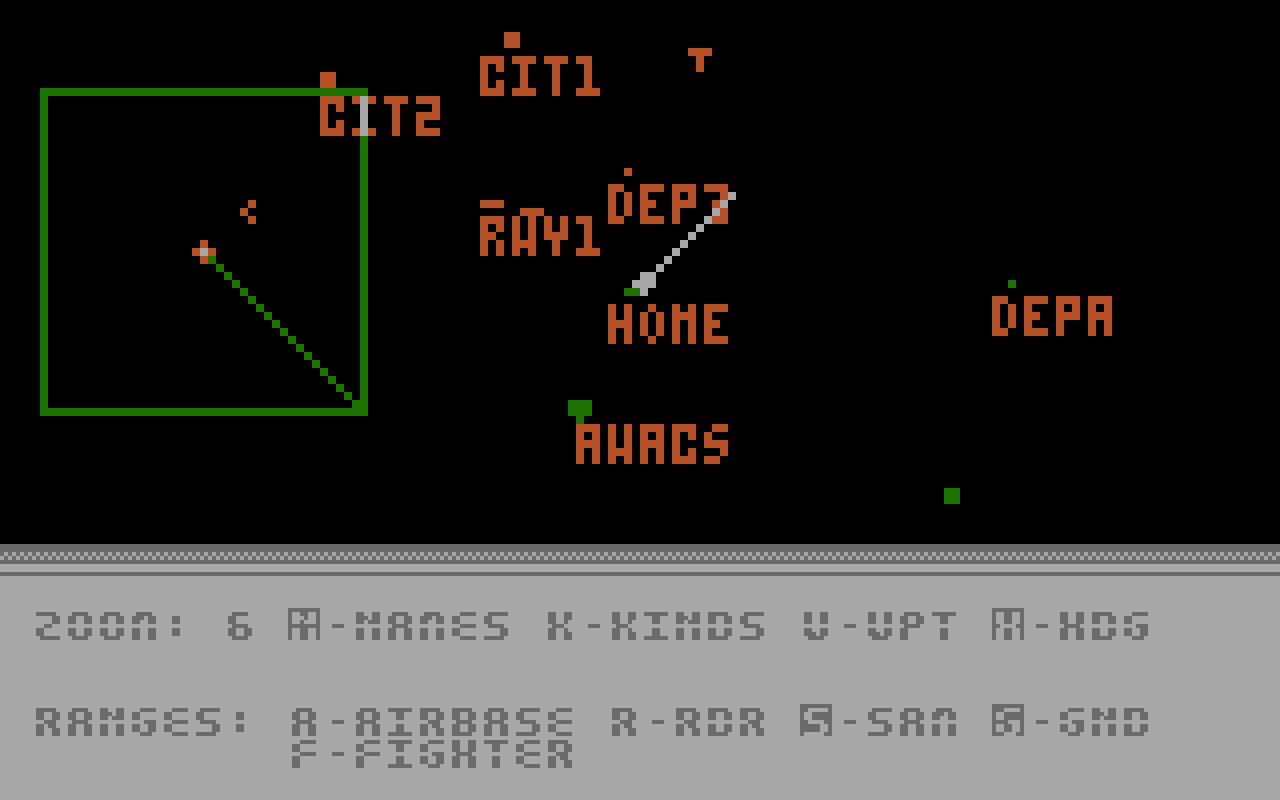
Player's fighter is always in the center of the map. North is always up.
You can scroll map using joystick.
Map is zoomable using -, + or <, > keys.
Map always displays position of well known objects like landmarks, cities, runways, but other objects like tanks, bunkers, fighters, etc. are displayed only when they are in your fighter's radar range or in WARFARE missions when friendly AWACS (Airborne Warning and Control System) is patrolling area. You can use following keys to show labels:
- N -
NAMES- show names/identifiers of cities, AWACS, depots
Note: in WARFARE missions friendly cities, runways and depots have names like: CIT1, CIT2, RWY1, RWY2, DEP1, DEP2.
enemy cities, runways and depots have names like: CITA, CITB, RWYA, RWYB, DEPA, DEPB. - K -
KINDS- show type of given object - W -
WPT- shows planned mission waypoints (WARFARE game wariant doesn't have waypoints) - H -
HDG- toggles showing your plane's heading
Note that in WARFARE game mode AWACS KIND is "BOMBER", but NAME is "AWACS".
Identified by our Intelligence detection ranges of enemy airbases, radars, SAM sites, ground vehicles and fighters can be switched on and off using A, R, S, G, F keys respectively.
Map icons legend
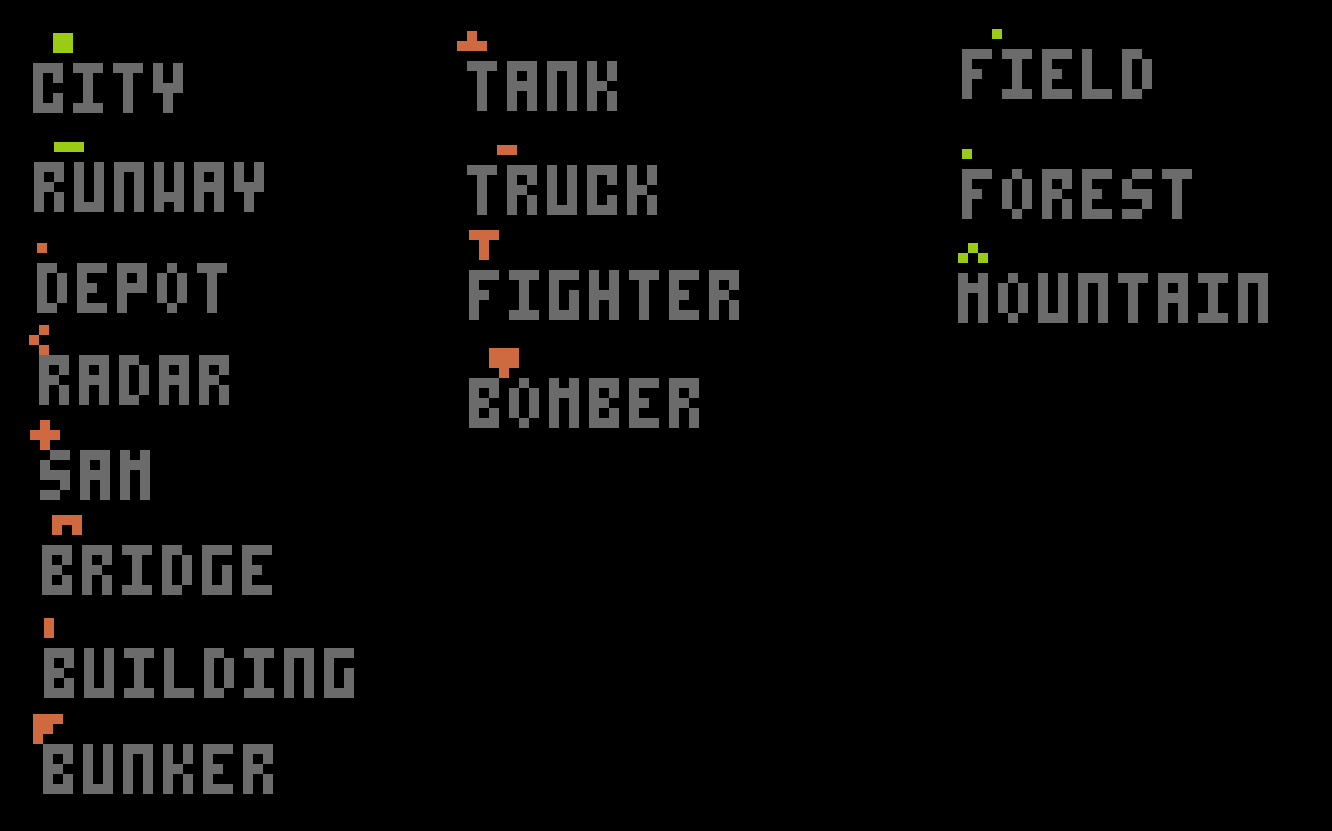
Blinking dots are aimed missiles.
Note that item color on map informs if it is friend (green) or enemy (red).
Time progress acceleration
When flying straight for longer distances when outside map mode you can press Tab key to turn on time acceleration and speedup time progress.
Time acceleartion automatically disables if you will be in enemy AAA fire range, but it won't be disabled if you will be in any other enemy range (like fighter, radar, SAM, airfield).
If you are playing in emulator you can also use full emulation speed for time acceleration - for example in Altirra emulator by pressing F1 key.
Note
In time acceleration mode watch out as you still control your plane!
How enemy Radars and SAMs work
If player's fighter is inside enemy ground radar range "R" LED is active on the right LED panel. Some time is spent on identification and if fighter is also inside range of any SAM it will fire a ground to air missile - "S" warning led will be active. You can press C key to release chaffs to temporarily deactivate missile's guidance system. In some missions you will have AGM-68 HARM missiles available with which you can destroy Radar sites from long range. Remember that SAM will launch only when you are at the same time both in given SAM's and any ground radar range.
RADAR/SAM ground defense system is not integrated with other B.A.R.F. forces - enemy airbases operate their own independent Radar Warning System and will initiate fighter interception when they identify your presence in their own radar range.