Briefing Map
Map screen at briefing
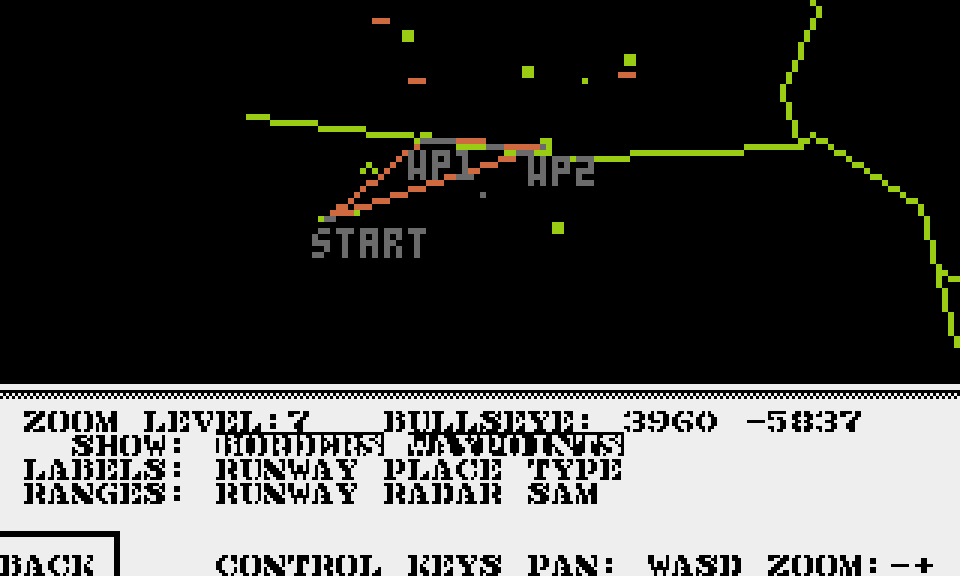
You can use W, A, S, D keys to move map and -, + or <, > to zoom out / in.
You can click following areas to toggle visibility of objects/labels/ranges on the map:
- In
SHOWsection:- Borders - visibility of Borders.
- Waypoints - visibility of path between waypoints for given mission.
- In
LABELSsection:- Runway - visibility of runway names.
- City - visibility of city names.
- Type - visibility of object type.
- In
RANGESsection:- Runway - visibility of detection range of enemy runways.
- Radar - visibility of detection range of enemy radars.
- Sam - visibility of fire range of enemy SAM-s.
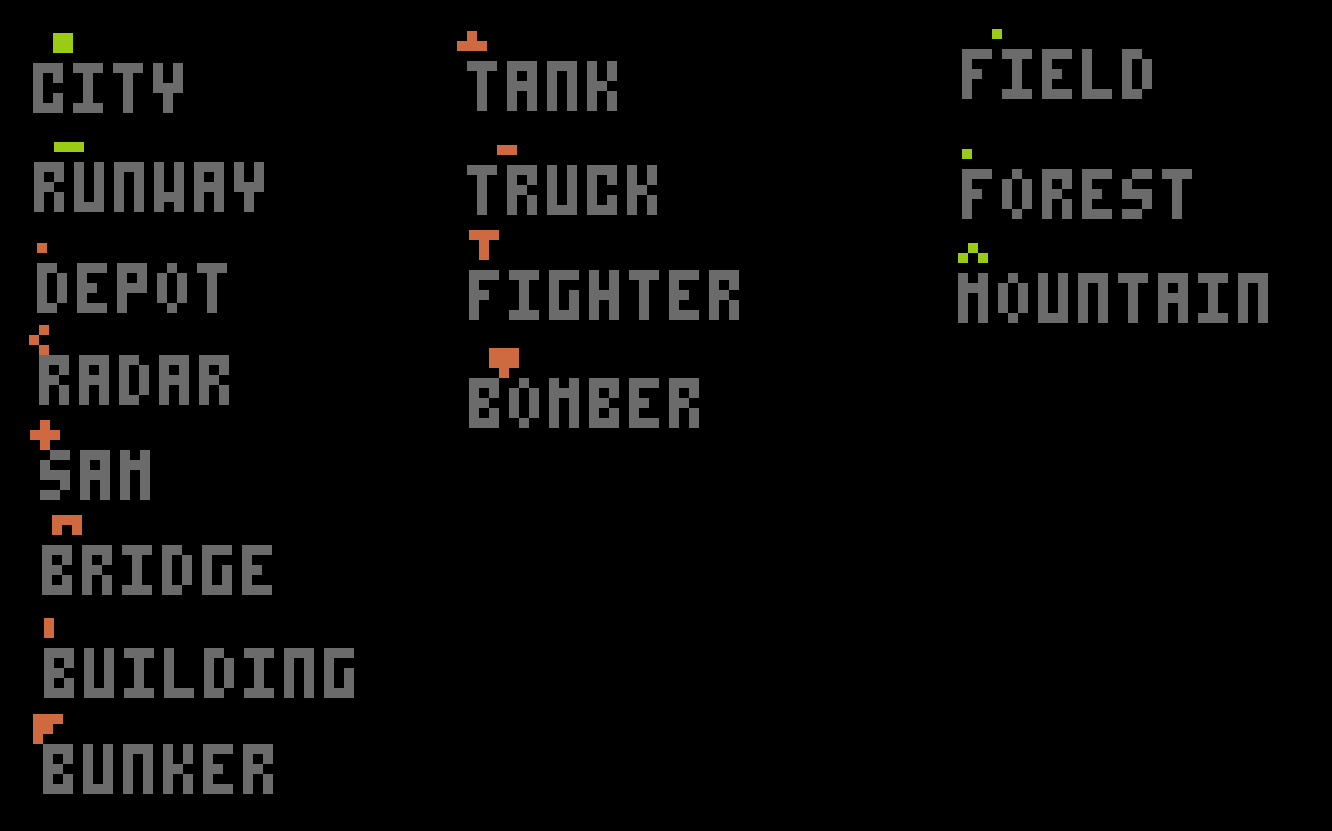
Map icons legend